Significant performance improvements with A-Spec First Assault Update 0.22.0

Welcome, pilot! With this latest update it is no exaggeration to say there are have some huge performance improvements with less frame rate drops, and more increases. This has been a huge undertaking and took precedence over the Chapter 6 update, which not a decision taken lightly. While there is no new content, I believe these performance gains and other general improvements, make the game experience much better.

With how much of the backend was changed to eke out improved performance there may be bugs. If you notice anything out of place and behaving different, bizarrely or just plain acting outright annoying, let me know and I will investigate it. I have been through the campaign several times and caught some soft-locks, broken AI behaviour, etc, etc. But alas, I am just the one dev. While I catch many bugs, there’s always more lurking in the shadows, seemingly hidden, until someone brings it to my attention. So if you find one please report it, and big thanks to all the players who have!

With all that being said and done. Thanks for the continuing support and patience. This was meant to be a 1-year project, extended into a 2 year project, and became a unintended 5 year (and ongoing) project. All being well, A-Spec First Assault the release goal line is now firmly in sight. The focus is on completing the campaign, adding more content, improving existing features along with balancing. I’m aiming to be a full release this year. There, I said it, just don’t try and pin me down with an exact date. It will be in the fullness of time.

And without further ado, here are the patch notes for A-Spec First Assault Update 0.22.0

Patch Notes 0.22.0
Overview

  • This update provides significant performance improvements, along with general bug fixes and improvements and fixed the accuracy of the players primary guns when enabling the “Homing Projectiles” option

Added

  • AI manager to handle management of AI Actor logic updates for improved performance
  • Combat AI Actors now perform a threat assessment against nearby hostiles to determine the best target to engage (closest comparable to itself)
  • Combat AI Actors are capable of making attempts at reducing the likeliness of getting stuck against other ships/structures in the world

Changed

  • Gimball Gun tracking and movement logic updates are now processed with ECS Jobs for improved performance
  • Turret tracking and movement logic updates are now processed with ECS Jobs for improved performance
  • Ship exhaust lens flare logic updates are now processed with ECS Jobs for improved performance
  • Ship exhaust lens flare quad texture visuals are now rendered more efficiently for improved performance
  • Projectile logic updates are now processed with ECS Jobs for improved performance
  • Projectile quad texture visuals are now rendered more efficiently for improved performance
  • Stellar dust logic updates are now processed with ECS Jobs for improved performance
  • Gun Muzzle Flare quad texture visuals are now rendered more efficiently for improved performance
  • Radar contacts logic updates are now processed with ECS Jobs for improved performance
  • Improved the logic used for stretching projectile tails for better visual appearance
  • Removed the in-game FPS montor and associated key binding

Fixed

  • The players main gun projectiles are now 100% accurate against targets when “Homing Projectiles” have been enabled in the game options
  • Campaign soft lock in Chapter 5 Mission 3 as no random side missions are generated preventing progression towards unlocking this main mission
  • Refactored hazard field processes (asteroid and nebula fields) for performance improvements
  • Projectile Stats from installed modules are not applied to the guns when in a mission (Muzzle Speed, Max Range, Rate of Fire, Explosive Radius)
  • Ship Fitting: Launcher Subsystem Damage display values are being calculated incorrectly
  • AI Actors now correctly calculate stopping times, preventing the fast overshoot/fly-bys when using the afterburner

A-Spec First Assault: Patch 0.20.1 is live

There is no significant evidence of spontaneously combusting turrets which may or may not be linked to…

Patch Notes 0.20.1

Note: This update will reset all existing bindings to default values to avoid conflicts with new generic HOTAS and generic flight pedal default bindings

Overview

  • Added an overview screen as a place to easily reference control bindings
  • Artillery and Autocannon weaponry adjusted to provide more distinct differences and use
  • Improvements to Torpedo Launchers (installation costs, flight specs, damage)
  • Kherson turrets significantly less likely to spontaneously combust when firing a launcher salvo

Added

  • Default bindings for generic HOTAS controllers
  • Default bindings for generic flight pedal controllers
  • Controller Bindings Overview screen (For a quick glance reminder of controller bindings accessible from the pause menu during mission flights)

Changed

  • Adjustments to all Artillery and Autocannon variants towards defining distinct useage of these weapons and to Artillery:
    • Artillery are long range weapons (range increases, while muzzle velocities decrease, as slot sizes go up)
    • Burst and Standard Autocannons are medium range weapons (range increases, while muzzle velocities decrease, as slot sizes go up)
    • All Autocannons have a slightly faster muzzle velocity than the equivalent it’s Burst Autocannons
    • Adjusted maximum projectile range and muzzle velocities to move autocannon use from long range to medium ranged
  • Torpedo Launcher (Medium):
    • Fitting Points cost changed to 61 (from 169)
    • Prestige Points cost changed to 1464 (from 1624)
    • Adjusted lock range and flight time and flight velocities
  • Torpedo Launcher (Large):
    • Fitting Points cost changed to 243 (from 675)
    • Prestige Points cost changed to 5832 (from 5400)
    • Adjusted lock range and flight time and flight velocities
    • Adjusted Explosive damage values
  • Torpedo Launcher (Extra Large):
    • Fitting Points cost changed to 648 (from 2250)
    • Prestige Points cost changed to 15552 (from 18000)
    • Adjusted lock range and flight time and flight velocities
    • Adjusted Explosive damage values
  • The launcher status bar in the flight HUD weapons panel will no longer play out the reloading UI animation when the launcher ammo is 0, instead it will remain as an empty bar
  • The Save/Load window in the Equipment Loadout Screen:
    • Window real-a-state has been increased and equipped items are listed with consolidated totals to ensure specification text is fully displayed
    • Players can now select Save/Load Slots 6-8 when using controller navigation
  • Controller axis binding for roll is now inverted by default

Fixed

  • Hard at work Akkadian Technicians have corrected a minor fault with the Kherson’s new forward positioned keel turret mounts. In completely unrelated news, the Kherson’s launchers have been repositioned further forward allowing missiles to reach their intended target that little bit quicker, oh, and-any-keel-mounted-turrets-will-no-longer-spontaneously-combust-when-firing-said-launchers
  • Several side missions were not using overrides to spawn vessels and instead used the data in the mission file (therefore no random spawns!)
  • Firing a secondary launcher with multiple salvo’s and then immediately switching to another secondary launcher will pause the firing of the previous launcher
  • Projectiles were applying the shooters velocity to position offsetting the spawn location from the muzzle (which is no longer needed due to a script execution order change in a 0.19.x change)
  • Explosive Damage Enhancer Passive Module is not being applied to equipped launcher missile explosion damage
  • Equipment Loadout Screen now highlights locations (Primary, Secondary, Turrets) and equipped weaponry (primary guns and Turret models) on the vessel when hovering or selecting the relevant equipment slot
  • Vessel Selection Screen: Vessel loadout specification text for assigned wignmen is not updated when navigating the UI with the directional keys/buttons
  • Adjusted Turret Hierarchy Order so that turrets listed in the fitting screen in a standard convention
  • Muzzle Velocity and Max Range stats for projectiles do not display correct adjusted values with the Frictionless Coils Passive Module equipped
  • Rate of Fire stat for projectiles do not display correct adjusted values with the Magnetic Callibration Passive Module equipped
  • Using a Controller with a Throttle Axis binding assigned will set the throttle value to 0 while a Flight Group (1,2,3) button binding is held
  • Help Glyphs are not using a fallback for generic controllers without glyphs, which would instead use the element descriptive name of the controller for the bound action

A-Spec First Assault fitting screen improvements

Check out this screen snap of the fitting screen layout improvements along with more exposed stats

Screenshot displaying a detailed screen layout of a game interface showing performance stats, base stat adjustments, and artillery specifications for a gaming vehicle.

Info text has been expanded on for weaponry and stat adjustments are now properly displayed for secondary and turret weapons when equipping passive modules (something overlooked but was still being applied in gameplay!). You can also get an overview of all individual applied stat adjustments in the ship overview panel (top left), along with the adjusted stat values displayed for the ships equipment.

A lot more has been done for the next A-Spec First Assault update, but I shall leave that for a future update (and the lengthy patch notes) to be released in just over a couple of weeks.

A-Spec first assault patch 0.17.0 early access

Welcome pilots, the 0.17.0 update is here.

This latest update was intended to include the campaign’s Chapter 4, which will be released in the next planned milestone release. With this features update out of the way I will be focussing on the story campaign. In an effort to get more content out of the space dock, new features will be limited to allowing progression through the campaign missions.

Patch Notes 0.17.0
Overview

  • New cruiser and battlecruiser ships available to fly in Skirmish, along with existing weapon variants for their slot sizes
  • New and improved Multiple Launch Missiles (MLMS-CTAT, MLMS-POXY)
  • Performance and visual improvements
  • Lots of other additions, bug fixes and improvements

Added

  • Missing descriptions for certain guns and turrets
  • Reinforced Armour Plating module L and XL sizes
  • Engine Optimiser XL modules
  • Engine Tuning XL size modules
  • Explosive Armour Protection XL size modules
  • Frictionless Coils XL modules
  • Kinetic Armour Protection XL modules
  • Kinetic Damage Enhancer L and XL modules
  • Magnetic Callibrations XL size modules
  • Nanite Repair Optimisation XL size modules
  • Thruster Optimiser XL size modules
  • Thruster Tuning XL size modules
  • XLarge Artillery Main Gun
  • Large Artillery Main Gun
  • Hardpoint and Launcher mounting sizes
  • Battlecruiser for enemy military faction
  • Cruiser for player military faction
  • Mining Outpost model
  • Science Vessel model (functions like all Transports)
  • Rocket S, M, L and XL
  • Multiple Launch Missiles (MLMS) S, M, L, XL sizes (replacing previous MLMS secondary weapon)
  • Multiple Launch Missiles with Proximity detonator (MLMS-POXY) S size
  • Added scripting logic for defining Wingleader/Wingmen behaviours
  • Distinct debris for enemy faction transport

Changed

  • Added MLMS-POXY/02 secondary weapon to player starting ship default loadout in the main campaign
  • Reduced disk size requirements by using texture packing techniques (on going)
  • Changed Autogun muzzle flare VFX
  • Changed Autogun projectile VFX
  • Changed Autocannon muzzle flare VFX
  • Changed Autocannon projectile VFX
  • Changed Artillery muzzle flare VFX
  • Changed Artillery projectile VFX
  • Changed Railgun muzzle flare VFX
  • Primary weapons will target the center of a turret rather than the turret pivot point
  • Engine Optimiser S, M and L size modules modifier, prestige and fitting cost values adjusted in line with rulest
  • Engine Tuning L size modules modifier, prestige and cost values adjusted in line with ruleset
  • Explosive Armour Protection L size modules modifier, prestige and fitting cost values adjusted in line with ruleset
  • Frictionless Coils S, M, L size modules modifier, prestige and fitting cost values adjusted in line with ruleset
  • Kinetic Armour Protection L modules modifier, prestige and fitting cost values adjusted in line with ruleset
  • Magnetic Callibrations L size modules modifier, prestige and fitting cost values adjusted in line with ruleset
  • Nanite Repair Optimisation L size modules modifier, prestige and fitting cost values adjusted in line with ruleset
  • Thruster Optimiser L size modules modifier, prestige and fitting cost values adjusted in line with ruleset
  • Thruster Tuning L size modules modifier, prestige and fitting cost values adjusted in line with ruleset
  • Allowed Substructures to be protected by the damageable layer of the parent on a per substructure basis
  • Update the dying throes of all enemy faction ships
  • Reduced number of particle explosions called for death explosions across all ships from prologue to campaign, by using fewer more appropriate sized particle explosions
  • Blaster 4/8/16 direct and subsystem damage along with Fitting and Prestige costs
  • Torpedo model and VFX
  • Rocket model and VFX
  • Multiple Launch Missiles model and VFX
  • Improved raycasting times for AI actor collision avoidance checks

Fixed

  • Medium and Large turrets now use correct size projectiles and muzzle flares for their sizes
  • Null Reference error in Subsystem Repair
  • When a substructure is destroyed any attached turrets are destroyed resulting in null reference exceptions
  • Using the “Target turret under reticule” targets turrets which are offline and under repair and therefore invisible
  • Engine subsystems will stop being repaired when 2 or more engine subsystems exist but at least 1 engine subsystem is attached to a substructure which has been destroyed
  • Reinforced Armour Plating modules missing Thruster Max Velocity modifier
  • Reinforced Armour Plating modules modifier values adjusted in line with ruleset
  • Calculations for DPS and RPS for guns with multiple rounds per shot (Blaster & Burst Cannons)
  • Turret highlights become disconnected from F2 Cruiser when targeted
  • Explosion VFX on ships are included in the target highlight
  • Sub-targeting turrets will use the wrong turret mesh for the highlight (and other weird highlight behaviour)
  • When a ship is fitted with the Kinetic Damage Protection module and a substructure (i.e. Turret) takes direct damage, the damage feeds down to the ships hull even though if the ship has enough armour to absorb the full amount of damage
  • Group spawning without a wing leader will clump spawn at same location (spawning inside each other)
  • Equipment Screen: Equipped Turret slots arcs display issue
  • Invalid Operation Exception when disabling an active AI Actor by script

A-Spec First assault – the drums of war update

The Drums of War update (Early Access version 0.12.3) for A-Spec First Assault brings huge enhancements to sound effects, removing harsh sounds and improving the quality of frequently played sound effects like gunshots and explosions.

AI behavior has been improved and they will now change their targets based on the biggest threat to them along with improvements to how they decide who to target next.

Help glyphs used in the tutorials and prologue missions for controller commands that don’t have a defined icon (there are so many types of flight devices out there) will now display the relevant control element name instead.

Check out this latest trailer showing off the gameplay you will experience in A-Spec First Assault prologue missions.

Buy A-Spec First Assault on Steam

Patch Notes 0.12.3
Overview

  • Big improvements to all sound effects!
  • Lots of other miscellaneous improvements!
  • Bug fixes!

Known Issues

  • Autospeed match ‘close’ setting does not work as expected
  • Colliders for Fighter, Gunship, Carrier, and Large Transport are not optimized for best-fitting
  • Jump-out animations are not scaled correctly for ships bigger than a gunship
  • Guard My Target command is not implemented

Added

  • Vessel names can now be randomly generated
  • AI Actor will now change targets if another hostile is more of a threat
  • AI Actor uses a fuzzy target selection of the nearest hostile (rather than using the ‘Select closest hostile’ command)
  • Ship wings will now jump in formation to their leader
  • Flash Radar Quadrant On Hit effect attached to a toggle option in Options > Game
  • Added Autogun (XXS) as a replacement primary weapon for hostile fighters in the prologue (due to fixing AI firing weapons slowly)
  • Added UI Volume slider
  • Audio priorities adjustments for sound effects during gameplay to better manage many simultaneous playing sounds

Changed

  • Controller Glyphs now display the control element descriptor for controllers without a defined glyph icon
  • Prologue mission 1: Added Throttle Axis to help glyphs
  • Prologue mission 1: Removed diagonal help glyphs as the vertical and horizontal glyphs communicate this
  • Prologue mission 2: Updated directives text regarding waypoint references in line with Prologue mission 1
  • Prologue mission 3: Removed the distress call waypoint when in range
  • Prologue mission 7: Fixed typo during friendly spawn message near end of mission
  • Corrected spelling and grammar throughout all prologue mission briefings and debriefings
  • Navigation tutorial 2: Can now use throttle axis during throttle acceleration and deceleration section
  • Navigation tutorial 2: Allowed 8-way hat to work during diagonal thrust sections
  • Navigation tutorial 3: Disabled autopilot
  • Mining beam SFX replacement
  • Increased size of flare and muzzle VFX for mining beam
  • Removed hull Hit Effect for mineable asteroids and normal asteroids due to excessive calls from using the mining beam
  • Updated main missions and side missions to use directives and monitoring panels as needed
  • Dying throes explosions VFX/SFX improved
  • Death explosions VFX/SFX improved
  • Gun sound effects improved
  • Round robins are used for repetitive sound effects (i.e. gunshots, impacts, explosions, etc)
  • Replaced most Heads Up Display sound effects
  • Directives Panel: When directive status changes the text now flashes with an audible bleep
  • Player Received Transmission: Play audio bleep at the start of a transmission
  • Main menu: Increased vertical button spacing for easier mouse highlighting on mouse over

Fixed

  • Prevented mineable asteroids and Mining Station from being pushed around easily
  • Particle explosions from weapon damage on the player seem to jitter/skitter during player movement
  • Attempt to set pitch to infinite value from script ignored!
  • Prevented autopiloting out of Skirmish when all enemies were destroyed
  • Explosion lighting source only lights up for 1 second, where it should be limited for the particle animation time
  • Turret Railgun shell mass not scaled correctly (decreased accordingly)
  • Burst Autocannon 2/4/8 shell mass not set correctly (increased accordingly)
  • Impact Hull/Armour SFX now calculated for pooled items
  • Audio Asset pooling counts are under-calculated for guns and launchers
  • Skirmish: Player not spawning in the correct position
  • Projectile spawn location offsets more as the shooter’s velocity increases
  • Primary weapons fire faster the more the gun control subsystem is damaged
  • AI Actor would trigger pull-release for each primary weapon shot, unintentionally slowing down the fire rate of fast-firing weapons
  • Button UI audio interactions are not affected by the audio volume sliders
  • Fixed duplicate audio sources from being created for parent objects not added to the pooling system
  • Fixed issue of audio popping where played audio was stopped too early for explosions
  • AI Actor severely under-calculated the effective firing range (effectively preventing the AI Actor from using primary weapons)
  • Prologue mission 2: After mining 1st asteroid, engines should not be activated until 2nd asteroid is targeted
  • Prologue mission 4: Enemies at Navpoint 2 can no longer be goaded into attacking the player instead of transports

Absolute territory updated to 2.2.0

2.2.0 Release (20210912)
Overview – Early enemy fighter weapons feel less overwhelming due to the fast firing rate

Gameplay

  • Amend – Track IR anchor point made same as VR
  • Amend – There are now two versions of the laser bolt cannon (Rapid Firing and Standard)
  • Amend – Vomitoria and Drosophilia now use slower firing laser bolt cannon
  • Amend – Updated weapon lore entries for the laser bolt cannon variants
  • Amend – Updated the 21 Absolute Territory missions to include the new standard laser bolt cannon. Added briefing text highlighting when new ships are made available. Added briefing text to make known about experimental laser weapon being available in mission 20

Simulator Modes

  • Amend – Wave and Gauntlet to include the new standard laser bolt cannon

Campaign Menu

  • Amend – Removed Tutorials as a campaign item selection (they are still available under Simulator menu). They no longer have skip dialogue, since all tutorials are available and there was no need to skip


2.0.1 Release (20210820)

Overview – Tunnelling can be disabled in options and an unsupported TrackIR implementation.

Visual

  • Added – Auto Exposure and Ambient Occlusion Postprocessing Effects
  • Amend – Gameplay scene lighting adjusted to use the Skybox instead of constant color.

Gameplay

  • Added – Toggle Tunnel Vision when using VR (Options > Game > VR Tunnelling
  • Added – An experimental and there not officially supported (I reserve the right to pull this feature at any time) Track IR implementation

VR

  • Amend – Press CTRL-F12 to recenter the VR headset in the main menu and in flight

An important developed note on the current Track IR implementation
As I don’t own any Track IR hardware I cannot reasonably test this myself and has been classed as experimental and officially unsupported. If you enable Track IR the experience may be sub-par or entirely broken. I will do my best to work with any Track IR users willing to be guinea pigs and provide relevant feedback towards improving the implementation. That is no guarantee that Track IR will become an official feature in the game and I reserve the right to abandon any further development on it.

Enabling Track IR
The command-line argument “-trackir” will be needed, I recommend you create a shortcut to the Standard game exe on your desktop and add the argument in the target box as exampled below.

Flying your Starfighter in Absolute Territory

Absolute Territory is a futuristic single-player mission-based space dogfighting with the familiar feeling of good space sims. Fly 21 missions with a variety of search & destroy, assault, patrol, escort, and scan objectives. Choose from several space superiority fighters, customize loadout from over a dozen weapons, manage power settings, and use directional thrusters like an elite pilot.

Ship and Weapon Selection

Outfit your chosen fighter in the Weapon Selection Screen

Chose your ship type from fast-moving glass cannons to slow hard-hitting tanks. Outfit your chosen ship with a variety of deadly weapons. Make sure you chose both ship and weapons wisely to enable the completion of your mission objectives.

Dogfighting with arcade-sim mechanics

Dogfighting against enemy stafighters

Engage in gripping dogfights with Newtonian physics. Arcade forces are used for an arcade-sim experience, allowing for responsive controls to pull off hair-raising maneuvers making yourself a harder target for enemies. AN RCS computer will compensation for all directional changes, turn too hard and you will but yourself into a slide, or worse find yourself a sitting duck while your ship adjusts speed. Fight against a variety of enemy ship types from light to heavy fighters, transports, and large warships.

Absolute Territory is not pure arcade or pure sim. Its arcade-sim.

Power management

Assaulting an enemy destroyer

Distribute power across engines, shields, and guns for an advantage over your opponent or get yourself out of sticky situations. Power to engines gives faster acceleration and increased top speed, for shields faster recharge rate and overcharging, and guns for faster recharge rate for longer sustained firing of heavier weapons.

Advanced flight mechanics

Picking off turrets using the slide mechanic

Engage slide, match speed, and directional thruster mechanics to keep your target in your gun sights. Warships and transports are not defenseless and come armed with flak turrets. Use component targeting and de-teeth these ships of their turrets. Then move in for the kill.

VR and Standard mode

Fully modelled cockpits to look around in VR

The recent 2.0 update added VR mode. Use this to your advantage for improved situational awareness in the cockpit. Identify the biggest threats with a glance before turning to engage.

Play Absolute Territory today

Learn more about Absolute Territory’s development in this interview

Skyward Flight FM interviews Dan about Absolute Territory

This month I was fortunate enough to be asked to take part in an interview covering Absolute Territory, and a bit about Digitum Software (that’s me!).

Check it out, over on Skyward Flight Media.

Add to Wishlist on Steam
Absolute Territory: The Space Combat Simulator Steam Store Page

Campaign and demo coming very soon – Absolute Territory Dev Diary #23

The last several months have been difficult for people all around the world. I pray this announcement finds you in good health and in improving circumstances.

I have been very fortunate to be still employed and also working (not at home) throughout this crisis. I had several weeks off before the lockdown came into effect and by the end of that time, I was relieved to get back into work (even though I spent the whole of that time working on Absolute Territory). I think that must come down to not managing my time better and neglecting other areas in my life while I single-mindedly continued to work on Absolute Territory (and still do on my downtime ːlunar2019crylaughingpigː).

Release date expectations
The good news, I am aiming for a release date for Absolute Territory towards the end of 2020!

Campaign
Over the last few months, I have been working on the Absolute Territory campaign missions. Everyone one of these missions has been handcrafted within the in-game level editor which you can also use to create your own personalized missions and upload to share with the rest of the Absolute Territory community on Steam. The process is quick, taking a couple of clicks to upload and share.

The campaign story is around a faction of the Endophora (your opponent during this campaign), named The Order of Linnaeus, who has invaded Imperial space and laid claim to Bold Peace. You will find yourself going against Order forces, driving them back out of the sector. Each campaign mission in Absolute Territory brings unique experiences.

Absolute Territory has a full flight roster of eleven fighters across Imperial and Endophora . Five of which have a full 3D cockpit.

Options on the go
Graphical and audio options have been made available during the missions. Simply press Escape (or start button on your controller), drop into the options menu, configure to your liking, then exit out and test your changes reflected in the game instantly.

Warships
No space combat game is complete without having huge warships to either protect or destroy. Absolute Territory brings three huge warships into the conflict. Two destroyers (one for Imperial and Endophoria) and an Endophoria Cruiser, that’s in addition to the transport ship already available.

Situational awareness improvements
To enhance your situational awareness a small but very useful change is to include the name and distance to your target on the offscreen arrow indicator. Cycle through all your targets and know exactly what you’re targeting, even when they are not directly in front of you.

Tutorial Controller Glyphs
The tutorial missions in Absolute Territory introduce fundamental concepts of flying and fighting. Controller Glyph’s already cover keyboard & mouse and Xbox controllers to ease learning controls. This has now been expanded to include glyphs for PlayStation 4 controllers.

Performance Improvements
Minefields were costing twice as much CPU usage as Asteroid fields, after some investigation I was able to reduce this cost and it’s now on a similar level of performance.

Absolute Territory AI gains more improvements to help reduce the number of incidents where they find themselves stuck against Warships. It does happen much less, but I’ll admit it can still happen. I’ll be looking at ways to ensure that they can recover themselves.

been many other performance improvements in scripting, mostly to due with displaying text on the screen, towards reducing CPU cost and garbage generation for a smoother experience.

Demo & Wishlist
A demo for Absolute Territory will be made available during the Steam Game Festival. It’s already packaged, uploaded and ready to be downloaded when the festival goes lives at 10am Pacific time on June 9th, 2020.

Finally, head on over to the Steam store page, scroll down and hit that wishlist button! Every wishlist helps towards showing Steam that this is a game worthy of the algorithm’s attention.

Add to Wishlist on Steam
Absolute Territory: The Space Combat Simulator Steam Store Page

Steam Workshop Support – Absolute Territory Dev Diary #22 (11 Mar 2020)

Welcome pilot!

It has been another busy month where I had the unique opportunity to work on Absolute Territory for the past month on a full-time basis. During that time I ran a closed beta, squatted many reported bugs, added beta tester feedback, making many more improvements.

Some of the new features covered in this month’s dev diary include:

  • Tutorials
  • Transmissions (creating dialogue from NPC’s)
  • Steam Workshop support

Watch the video or read on below:

Watch this dev diary video
Add to Wishlist on Steam
Absolute Territory: The Space Combat Simulator Steam Store Page

Tutorials

Work has begun to include tutorials covering the different aspects of piloting your space combat fighter. They make use of a couple of new features added towards helping the player learn the controls. These tutorials are entirely scripted using the in-game level editor, and something the player could re-create themselves.

Transmissions

There was no way to convey the complex information needed to best instruct the player to pilot their ship. Transmissions have been added to solve this problem. Transmission sources can come from disembodied or embodied NPC’s. If the source is from an embodied NPC you will be able to see who is talking to you via the white bracket around the transmission source.

Help Glyphs

To further guide the player, help glyphs can be displayed to show relevant and appropriate controls on the HUD. These are context-sensitive and show help glyph for the currently used controller (if supported) with the correct keybinding (including user-defined). Currently, Help Glyph’s support keyboard, mouse and the Xbox 360 gamepad. Do you have a favorite controller not mentioned, post it in the comments below, as I look to expand on controller support.

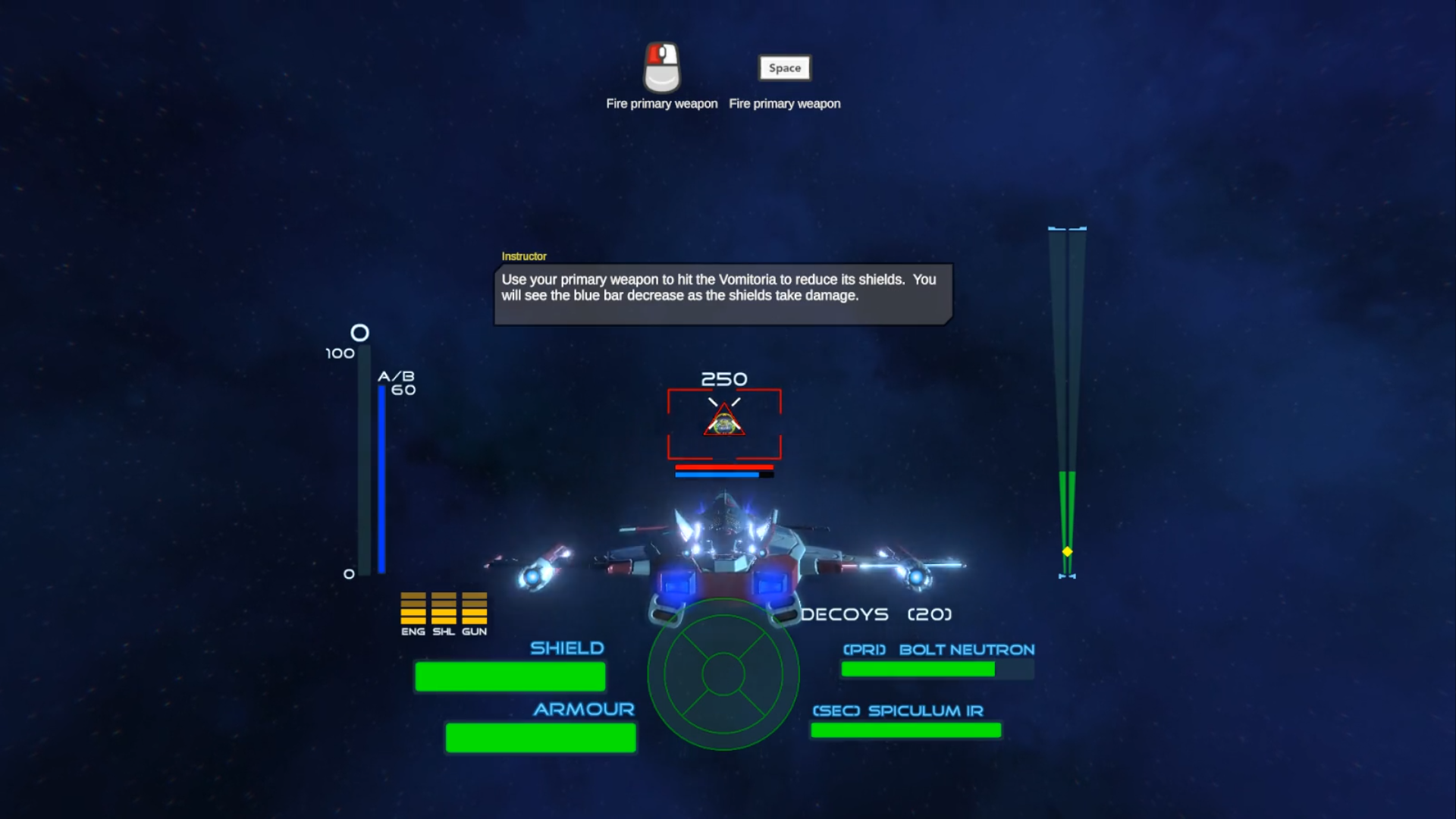
The tutorial using help glyphs and NPC transmissions

Steam Workshop

From the conception of the level editor, one of the development goals was to have the ability to share missions with other players. With the majority of the features locked down and implemented, I was able to redirect development time into this area. From within the level editor, you can now submit your custom missions to the Steam Workshop using the publish form.

Fill in the title and description form your workshop item and hit submit. The level editor will then publish your workshop item with all the relevant files needed for other players to subscribe and play. You can make any last-minute alterations from within the Steam Community Workshop page itself.

Do you want to update your mission? Just load up the relevant mission, enter its Workshop ID and submit, your changes will automatically update your Workshop Item.

202003 Publish Mission

Have any feedback or suggestions or questions regarding this month’s dev update? Post them below.